01
Portfolio summary
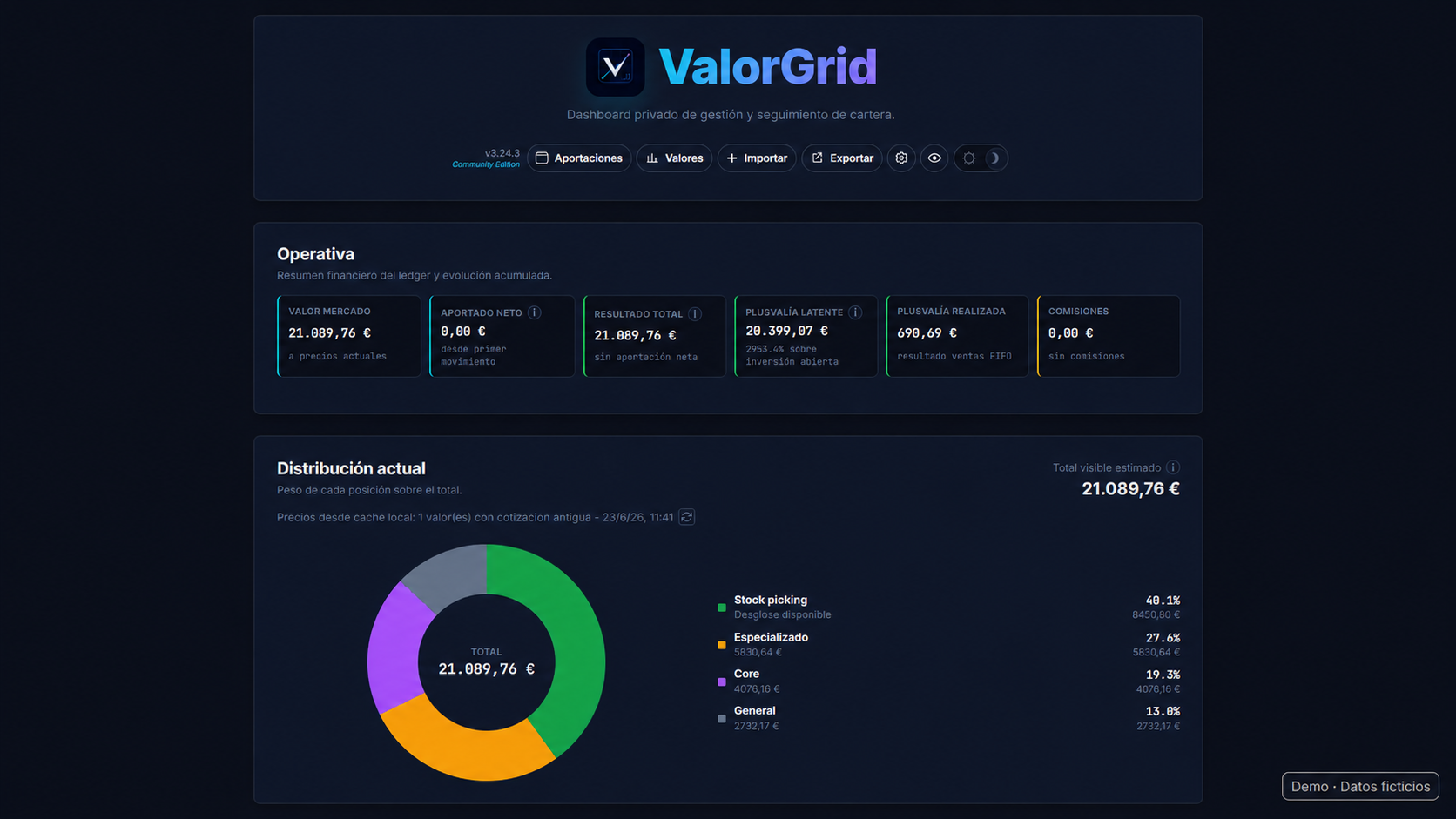
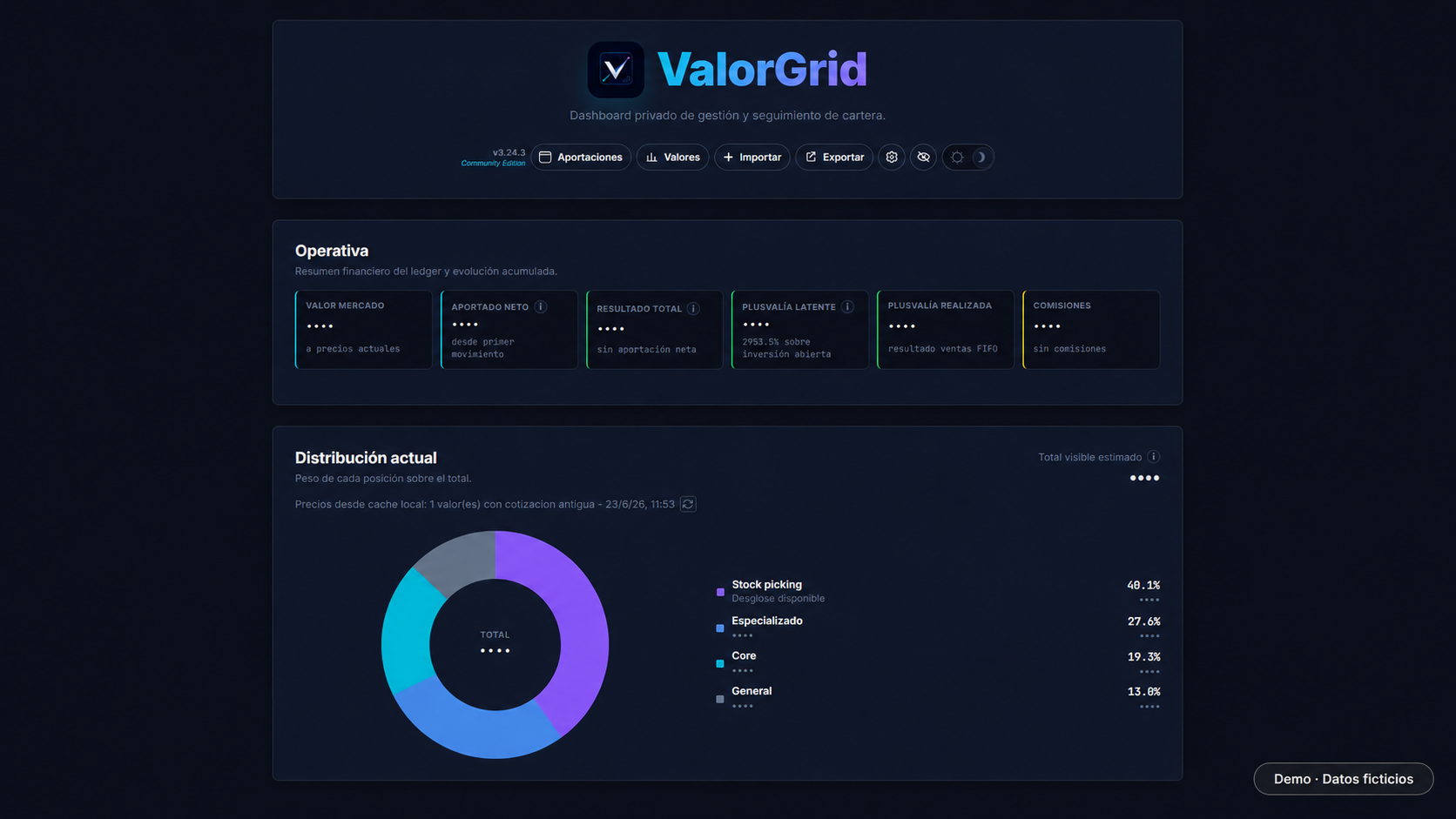
Current value, net contributions, total return, gains, and commissions from a working view.
 ValorGrid
Local portfolio tracker
Track your portfolio from your own PC, without uploading your data to the cloud.
ValorGrid helps you keep your buys, sells, contributions, performance, and portfolio allocation in one place, without relying on spreadsheets to check and maintain daily tracking of your portfolio.
Docker available for advanced users.
Interface
ValorGrid brings together trades, allocation, history, and transactions in a desktop experience designed for reviewing financial data without relying on a cloud dashboard.
Open public demo with simulated dataCurrent value, net contributions, total return, gains, and commissions from a working view.
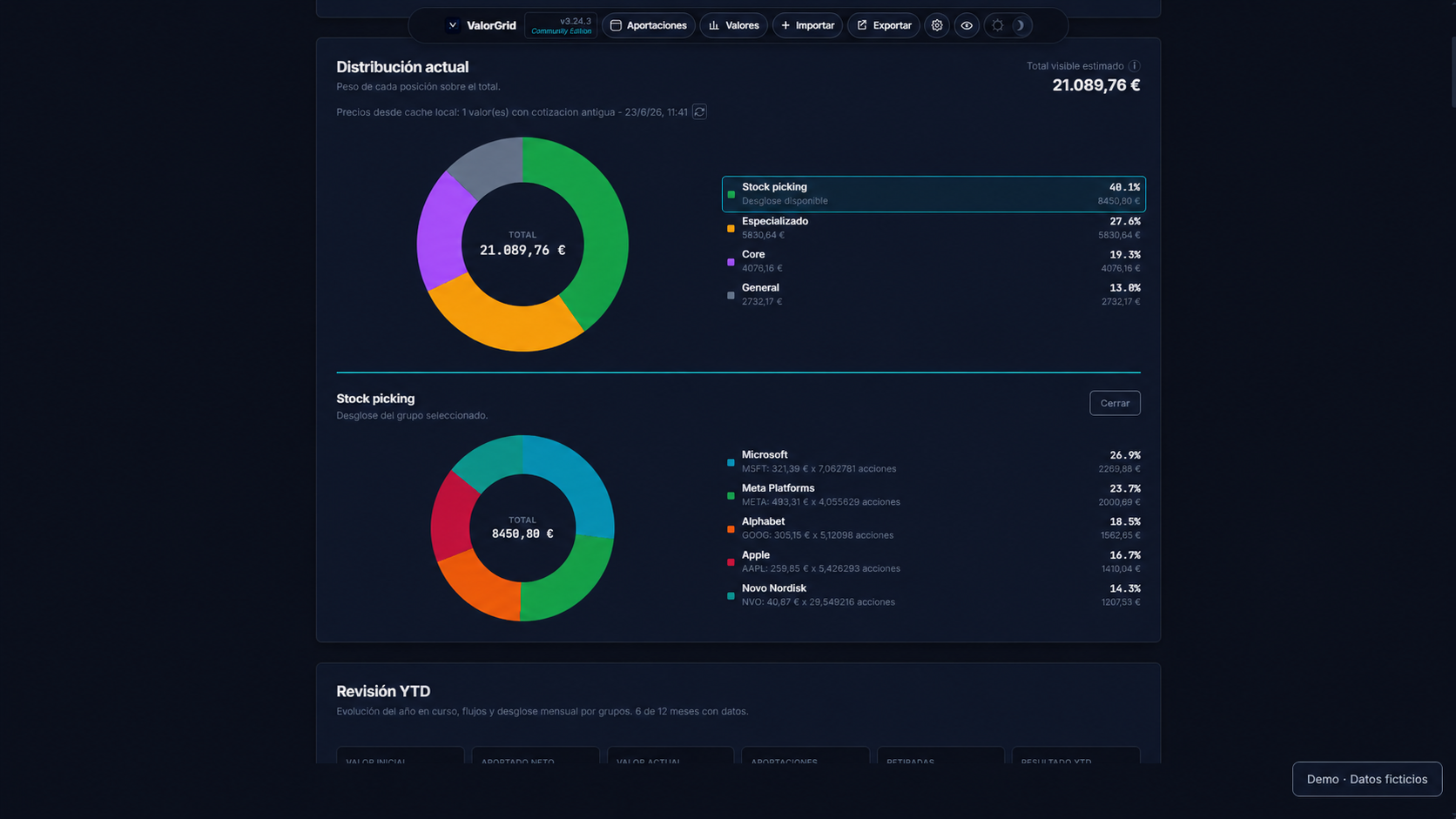
Instant breakdown of each group and position weight relative to the total visible portfolio.
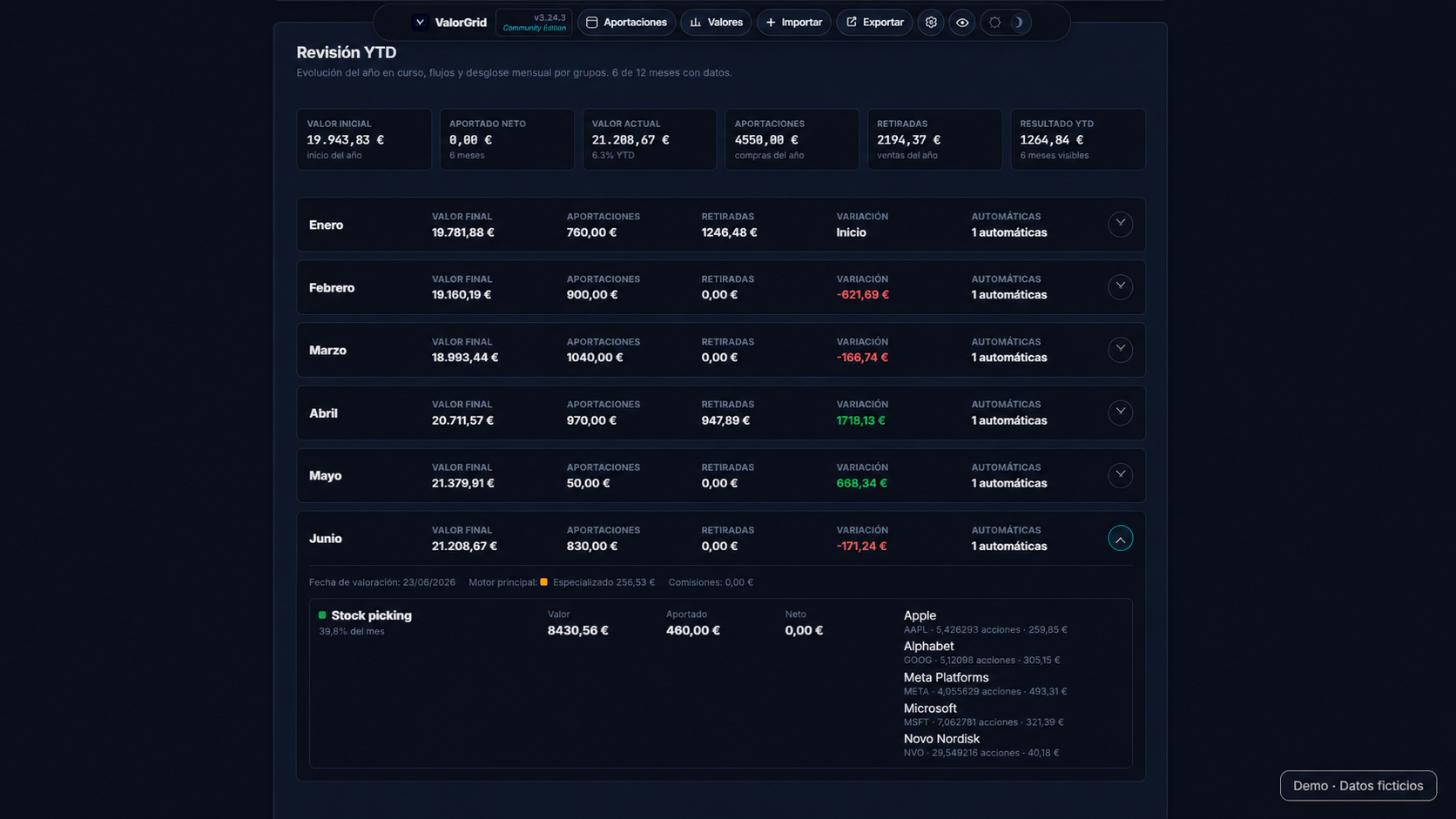
Year-to-date performance summary with value evolution and return by group.
Time series to review contributions, valuation, and cumulative returns.
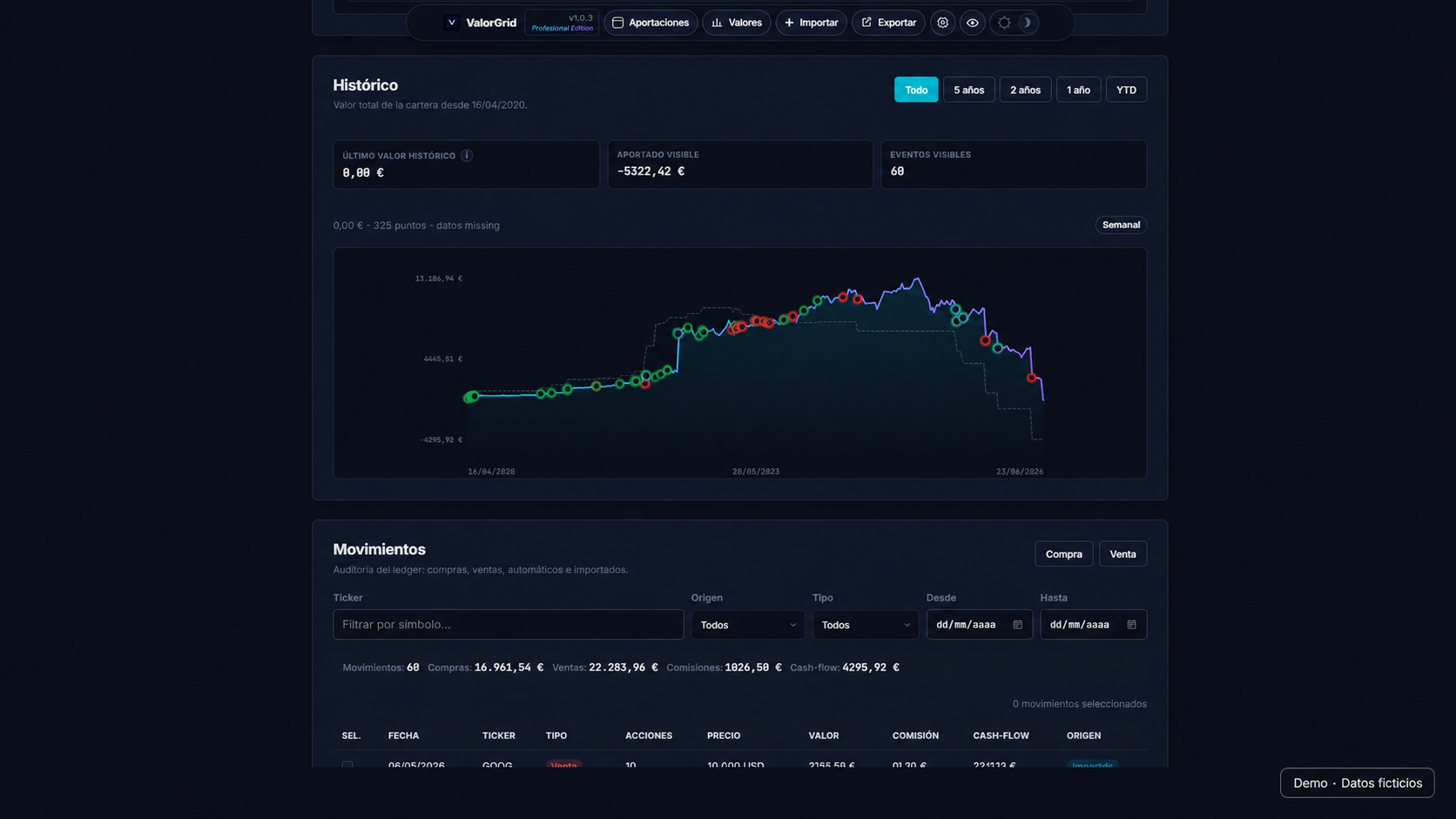
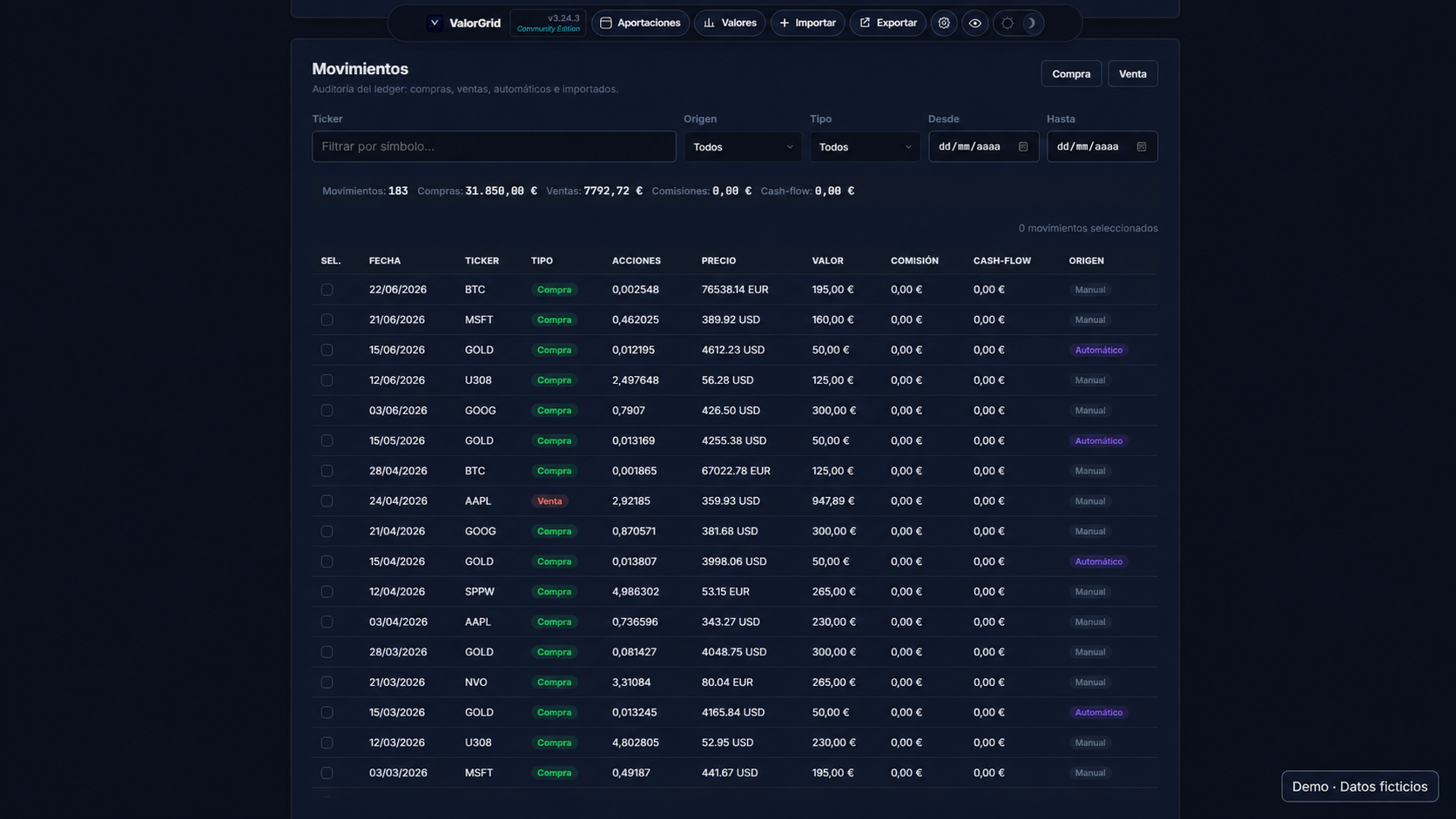
Record of buys and sells with dates, currencies, commissions, and references. Each transaction triggers a market price lookup to keep your valuation up to date.
You can toggle the option to hide balances for extra privacy when sharing your screen or reviewing your portfolio in public.
What it does
Buys, sells, currencies, commissions, and references. Each time you record a transaction, ValorGrid fetches the current market price and updates your portfolio value.
Summary of current value, net contributions, total return, and weight of each group or position.
Official template, preview before confirming, and controls to prevent common format errors.
Backups under your control, designed for personal and private use.
Who it's for
ValorGrid is designed for individual investors who want to keep clear track of their portfolio, record transactions, and review performance without relying on increasingly complex spreadsheets.
Centralize buys, sells, contributions, allocation, history, and backups in a local environment.
Intraday trading, order execution, or automated advisory.
Getting started
ValorGrid lets you manually create your first groups and instruments with configurable names and colors. If you already have a portfolio recorded, you can also import it by filling out a simple Excel template.
When you open ValorGrid for the first time, you can choose between creating the initial structure via a guided setup or importing a portfolio you already have ready.

Create your first groups and instruments from the guided setup. You can define visible names and assign custom colors to recognize your portfolio at a glance.
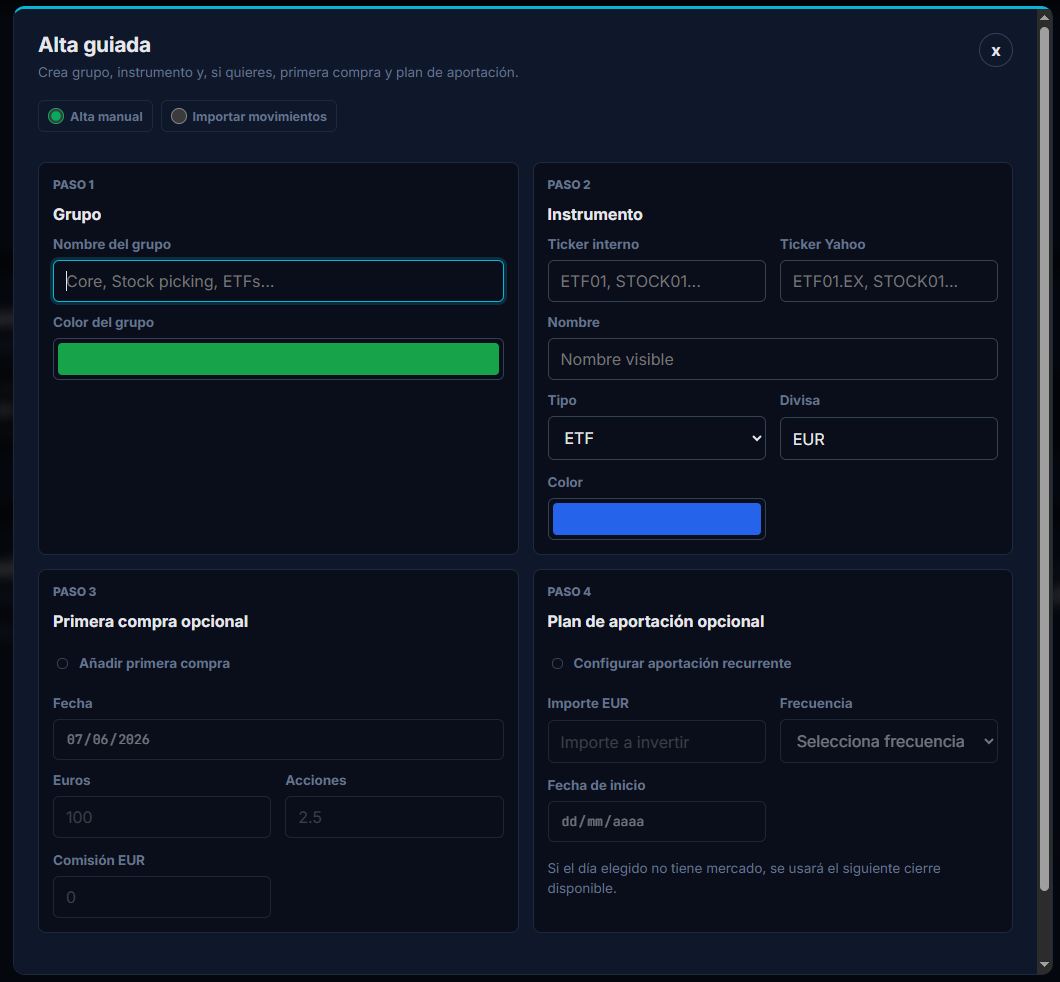
If you already have a portfolio, fill out the simple ValorGrid Excel template, upload the transactions in bulk, and review the result before confirming.
When you record transactions or open the app, ValorGrid automatically fetches market quotes to keep your portfolio value current.
Day to day
In your day-to-day use, you can add recurring investment automations (DCA), create as many groups and instruments as you want, or import transactions using the ValorGrid Excel template.
Local privacy
ValorGrid is designed to run as a local application. Your portfolio is stored on your machine or in the private volume you configure if you use Docker.
ValorGrid fetches market prices when you record transactions and caches quotes periodically to calculate your portfolio's current value. Your portfolio database stays on your machine or private volume. Market price lookups send only the required symbol to the configured market data provider.
Downloads
Native installers for Windows, Linux, and macOS. No Node.js or command line required.
Windows 10/11 · 64-bit · Version 3.34.0
Installer without a commercial signature. SmartScreen may display a warning.
AppImage · DEB · 64-bit · Version 3.34.0
Not signed. Verify the checksum before installing.
DMG Apple Silicon (ARM64) · Version 3.34.0
Installer without a signature. Go to System Settings > Privacy & Security and click Open.
Docker
Docker is intended for private environments, local testing, and advanced deployments where you want to control volumes, backups, and updates. Also available on the Umbrel app store.
View instructions on GitHubProfessional Edition
Imports from Excel files exported by compatible brokers, configurable trades, corporate actions, advanced History filters, and return analysis by instrument or group.
Request a 30-day trial. The period starts when the trial license is issued.
FAQ
No. It stores your portfolio locally and never syncs your transaction history with an external platform.
Not if you install the Windows version from GitHub Releases. Node.js is only required for development.
No. It is an organization, visualization, and personal auditing tool. It does not recommend buying, selling, or holding assets.
Yes. Community imports the official ValorGrid Excel template with a preview before confirming transactions.
The Community version covers basic personal use: tracking, visualization, template import, and local backups. Professional Edition adds imports from Excel files exported by compatible brokers, configurable trades, corporate actions, persistent visual preferences, advanced History filters, and expanded return analysis by instrument and group.
Product status
3.34.0
Free Community version for Windows, Linux, and macOS. No mandatory account, no cloud sync.
Contact
For general inquiries, product, collaboration, or business information, write to hola@valorgrid.app.
For installation, usage, or support issues, write to soporte@valorgrid.app.
Legal
ValorGrid keeps the legal notice separate from the financial disclaimer so each condition is easier to review.
Review the licenses, legal notice, privacy information, and financial disclaimer.